
 1 次
1 次
 2 次
2 次
 29839 ℃
游戏介绍
2026-01-29:更新到3.1版本了~
2026-01-28:更新到3.0版本了~
2026-01-25:更新到2.9版本了,感谢 @Reso 小伙伴帮忙汉化~
2026-01-23:更新到2.8版本了~
2026-01-20:更新到2.6版本了~
2026-01-19:更新到2.5版本了~
2026-01-13:更新到2.4版本了~
2026-01-12:2.3版本修bug、改图~
2026-01-09:更新到2.3版本了~
2026-01-06:更新到2.2版本了~
2026-01-04:更新到2.1版本了~
2026-01-02:更新到2.0版本了~
2026-01-01:更新到1.9版本了~
2025-12-29:更新到1.8版本了~
2025-12-26:更新到1.6版本了~
2025-12-24:更新到1.5版本了~
2025-12-23:更新到1.4版本了~
这是《超级乌龟放置》作者的新游戏,延续了宝可梦的传统玩法,抓宝可梦、跑图,战斗。
注意:菜单在左上角,右键点击可以查看宝可梦属性、介绍等。
游戏还在开发中,汉化也在进行中。
欢迎加入游戏交流群:821355753
打开支付宝,搜索:816056511,每天可以领一个红包,可用于超市、便利店、小卖铺付款时抵扣。
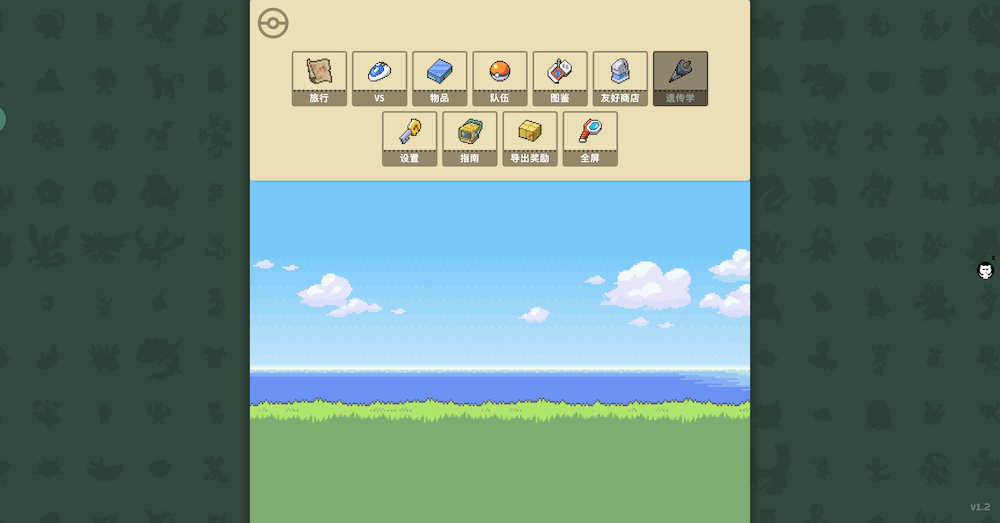
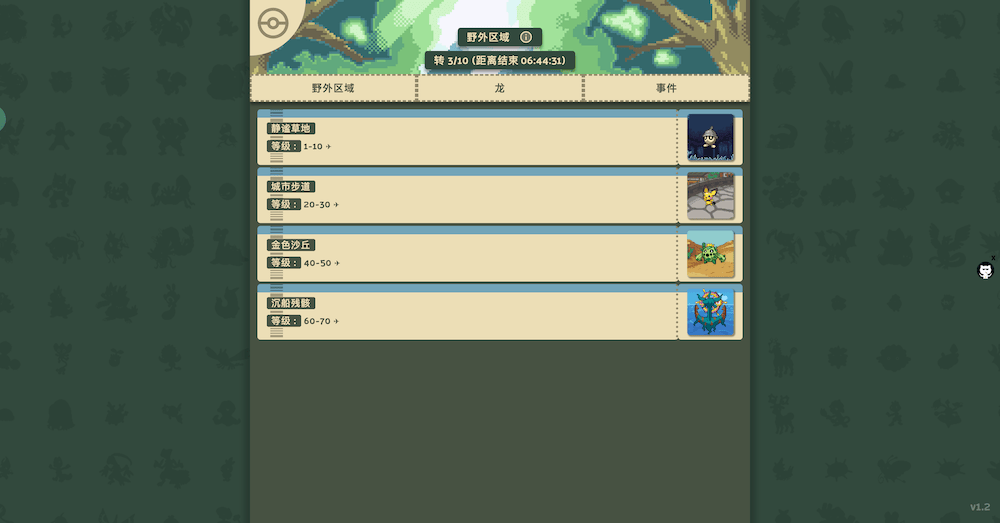
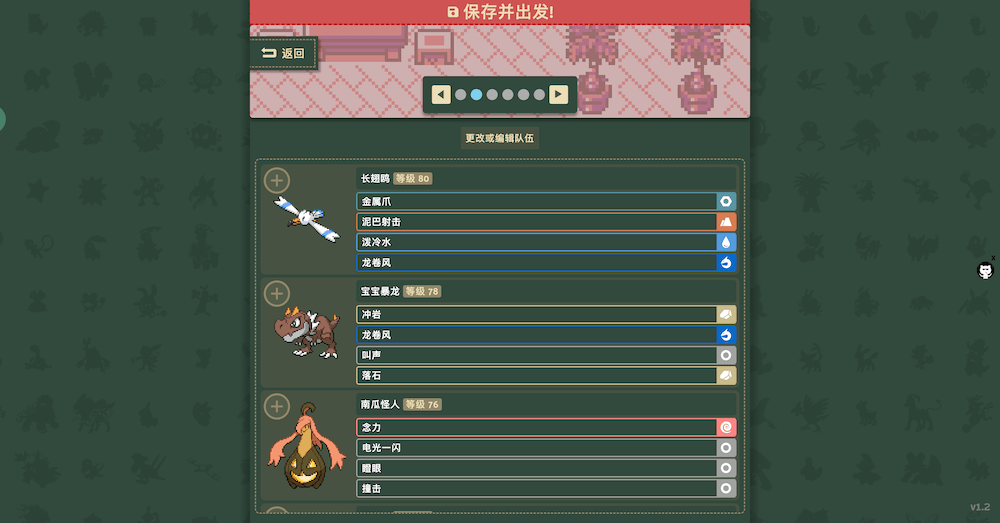

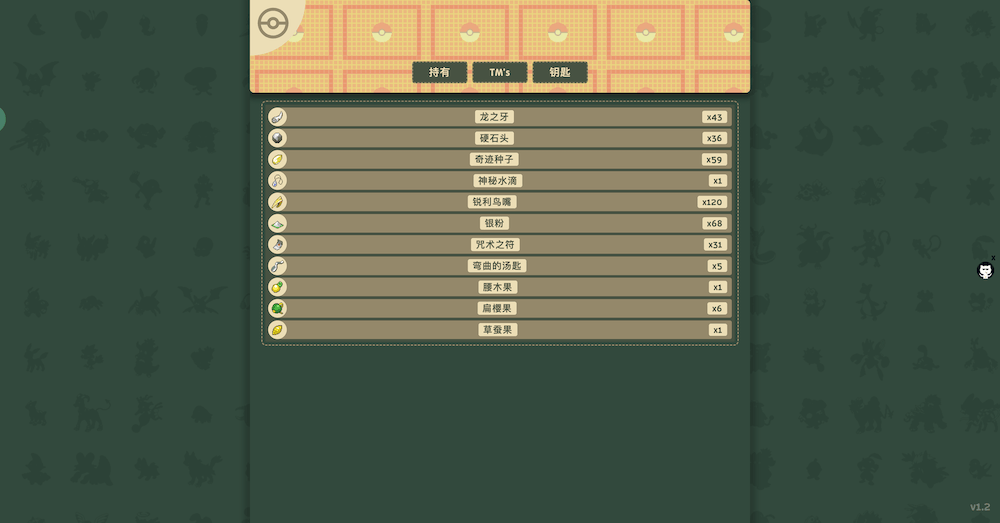

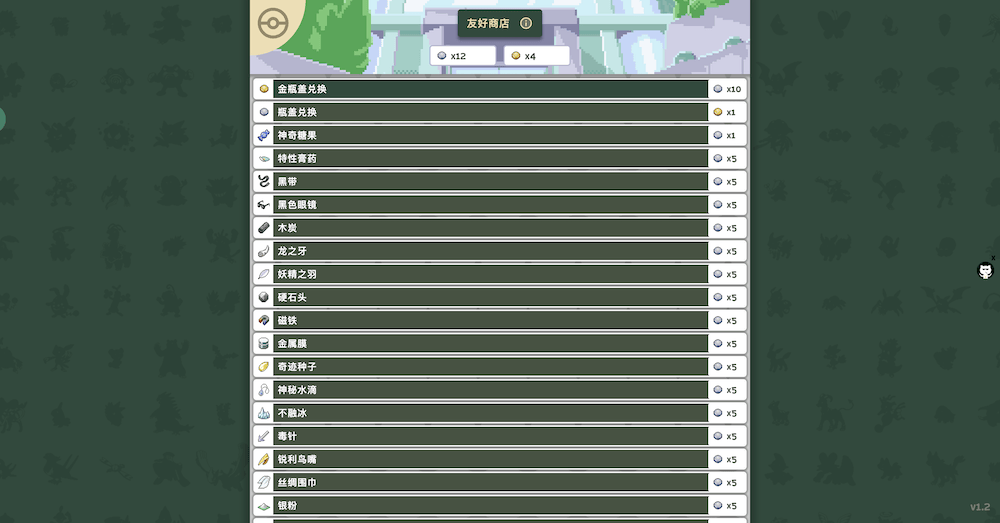
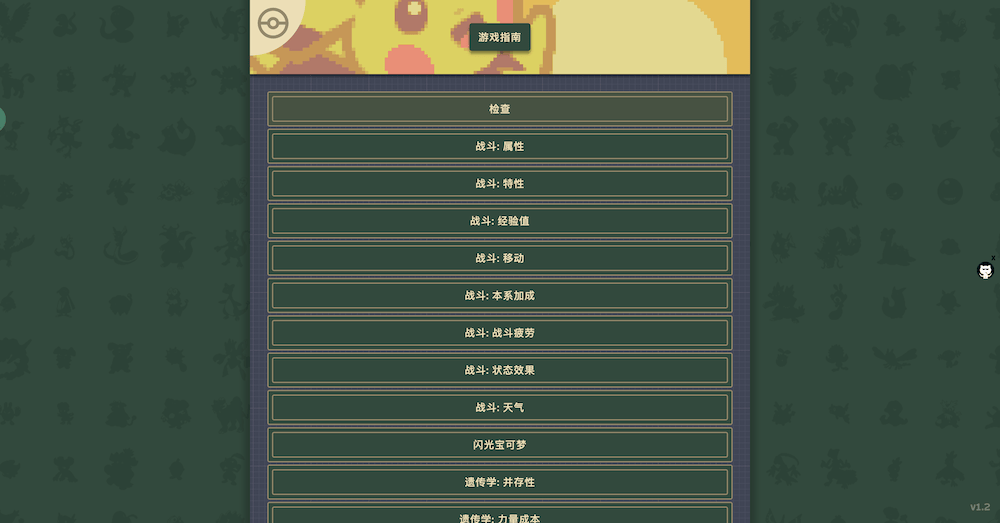

游戏截图

链接失效?点击上报!
游戏地址
- 开始游戏汉化版
- 开始游戏备用地址-g8hh
- 开始游戏英文版
- 推广
- 开始游戏轮回小镇,国产牛牛来袭!邀请码填: xRoSnu 领奖励!
- 开始游戏无尽洪荒,文字MUD修仙游戏
- 开始游戏放置传奇,是兄弟就来砍我
- 开始游戏梦幻阁 - 修仙文字放置摸鱼游戏
- 开始游戏迷你梦幻,经典怀旧,锅巴在11区等你
提示:
1、强烈建议使用Chrome或者Firefox浏览器进行游戏。
2、如果游戏白屏、卡住,可尝试然后按Ctrl + F5 强制刷新游戏页面。
3、玩此类型游戏时,请大家记得定期保存、导出存档。以免存档丢失,失去继续玩的动力。
4、备份存档可以放到网盘、邮箱里面去,推荐大家使用:有道笔记
5、如果你遇到不懂的地方,欢迎加入QQ群询问:
1、强烈建议使用Chrome或者Firefox浏览器进行游戏。
2、如果游戏白屏、卡住,可尝试然后按Ctrl + F5 强制刷新游戏页面。
3、玩此类型游戏时,请大家记得定期保存、导出存档。以免存档丢失,失去继续玩的动力。
4、备份存档可以放到网盘、邮箱里面去,推荐大家使用:有道笔记
5、如果你遇到不懂的地方,欢迎加入QQ群询问:

相关游戏


文章评论


1312407... 2周前
本人写的三个脚本,可以加群拿也可以通过地址下载(需要魔法):1.pokechill宝可梦战斗日志 内置汉化 + 伤害统计(包含技能统计) + 属性克制 + 手动重置 地址--------------------https://greasyfork.org/zh-CN/scripts/562072-pokechill%E5%AE%9D%E5%8F%AF%E6%A2%A6%E6%88%98%E6%96%97%E6%97%A5%E5%BF%97-%E6%9C%80%E7%BB%88%E7%89%88--------------------------------------2.pokechill助手(慎用破坏游戏体验)1.自动重开:新增了独立的开关和计数器,并且状态(开启/关闭)和次数会自动保存到本地,刷新不丢失。2.变速齿轮:支持1倍、5倍、50倍、500倍加速。3.时间跳跃:新增 [90分钟] 和 [12小时] 两个独立按钮,满足跳过轮换和遗传。-----------------------------------------https://greasyfork.org/zh-CN/scripts/562470-pokechill%E5%8A%A9%E6%89%8B-------------------3.pokechill天气手自动切怪助手 1.0实现天气队自动切怪。1号位放天气手,开启开关后,有天气则切2号位没天气状态则切回1号位释放天气。-----------------------------------------------https://greasyfork.org/zh-CN/scripts/562531-pokechill%E5%A4%A9%E6%B0%94%E6%89%8B%E8%87%AA%E5%8A%A8%E5%88%87%E6%80%AA%E5%8A%A9%E6%89%8B-1-0

木有魚丸 3周前
基于楼下的脚本,用AI重新跑了一下,F12打开控制台直接使用,/**
* ModernSpeedGear v2.1
* 专注于 requestAnimationFrame 的现代游戏变速器
* 修复了HTML标签问题和潜在bug
*/
(function() {
'use strict';
// 配置
const CONFIG = {
MIN_SPEED: 0.01,
MAX_SPEED: 50,
DEFAULT_SPEED: 1.0,
STEP_SIZE: 1,
UI_ZINDEX: 99999
};
// 状态管理
const state = {
speed: CONFIG.DEFAULT_SPEED,
isActive: false,
virtualTime: 0,
lastRealTime: 0,
originals: {},
ui: null
};
// 保存原始函数
function saveOriginals() {
const rafVariants = [
'requestAnimationFrame',
'webkitRequestAnimationFrame',
'mozRequestAnimationFrame',
'msRequestAnimationFrame',
'oRequestAnimationFrame'
];
rafVariants.forEach(name => {
if (window[name]) {
state.originals[name] = window[name];
}
});
state.originals.Date = window.Date;
}
// 创建加速的 requestAnimationFrame
function createAcceleratedRAF(original) {
return function(callback) {
return original.call(window, function(realTimestamp) {
if (state.lastRealTime === 0) {
state.lastRealTime = realTimestamp;
state.virtualTime = realTimestamp;
}
const realDelta = realTimestamp - state.lastRealTime;
state.lastRealTime = realTimestamp;
const scaledDelta = realDelta * state.speed;
state.virtualTime += scaledDelta;
return callback(state.virtualTime);
});
};
}
// 创建加速的 Date.now
function createAcceleratedDate() {
const OriginalDate = state.originals.Date;
const acceleratedDate = function(...args) {
if (this instanceof Date) {
return new OriginalDate(...args);
}
return OriginalDate();
};
acceleratedDate.prototype = OriginalDate.prototype;
acceleratedDate.UTC = OriginalDate.UTC;
acceleratedDate.parse = OriginalDate.parse;
if (OriginalDate.now) {
const originalNow = OriginalDate.now;
acceleratedDate.now = function() {
const realNow = originalNow();
const realDelta = realNow - state.lastRealTime;
const scaledDelta = realDelta * state.speed;
return state.virtualTime + scaledDelta;
};
}
return acceleratedDate;
}
// 激活变速器
function activate() {
if (state.isActive) return;
saveOriginals();
state.isActive = true;
state.lastRealTime = 0;
state.virtualTime = 0;
Object.keys(state.originals).forEach(name => {
if (name.includes('requestAnimationFrame') || name.includes('RequestAnimationFrame')) {
window[name] = createAcceleratedRAF(state.originals[name]);
}
});
window.Date = createAcceleratedDate();
console.log(`ModernSpeedGear 已激活,当前速度: ${state.speed}x`);
}
// 停用变速器
function deactivate() {
if (!state.isActive) return;
Object.keys(state.originals).forEach(name => {
window[name] = state.originals[name];
});
state.isActive = false;
console.log('ModernSpeedGear 已停用');
}
// 设置速度
function setSpeed(newSpeed) {
newSpeed = Math.max(CONFIG.MIN_SPEED, Math.min(CONFIG.MAX_SPEED, newSpeed));
const oldSpeed = state.speed;
const steps = 10;
const stepSize = (newSpeed - oldSpeed) / steps;
for (let i = 1; i <= steps; i++) {
setTimeout(() => {
state.speed = oldSpeed + (stepSize * i);
updateUI();
}, i * 20);
}
if (!state.isActive && newSpeed !== 1.0) {
activate();
} else if (newSpeed === 1.0) {
deactivate();
}
}
// 创建UI界面
function createUI() {
if (state.ui) return;
const ui = document.createElement('div');
ui.id = 'modern-speed-gear-ui';
ui.style.cssText = `
position: fixed;
top: 20px;
right: 20px;
z-index: ${CONFIG.UI_ZINDEX};
background: rgba(0, 0, 0, 0.8);
color: white;
padding: 15px;
border-radius: 10px;
font-family: Arial, sans-serif;
font-size: 14px;
box-shadow: 0 4px 20px rgba(0, 0, 0, 0.5);
user-select: none;
min-width: 200px;
`;
// 速度显示
const speedDisplay = document.createElement('div');
speedDisplay.id = 'speed-display';
speedDisplay.innerHTML = `速度: ${state.speed.toFixed(2)}x`;
speedDisplay.style.marginBottom = '10px';
// 速度滑块
const speedSlider = document.createElement('input');
speedSlider.type = 'range';
speedSlider.min = CONFIG.MIN_SPEED * 100;
speedSlider.max = CONFIG.MAX_SPEED * 100;
speedSlider.value = state.speed * 100;
speedSlider.style.width = '100%';
speedSlider.style.marginBottom = '10px';
// 速度控制按钮
const controls = document.createElement('div');
controls.style.display = 'flex';
controls.style.justifyContent = 'space-between';
controls.style.marginBottom = '10px';
const presetSpeeds = [0.5, 1, 2, 4, 8, 16, 25, 35, 50];
presetSpeeds.forEach(speed => {
const btn = document.createElement('button');
btn.textContent = speed + 'x';
btn.style.cssText = `
padding: 5px 10px;
background: ${speed === 1 ? '#4CAF50' : '#555'};
color: white;
border: none;
border-radius: 4px;
cursor: pointer;
font-size: 12px;
`;
btn.onclick = () => setSpeed(speed);
controls.appendChild(btn);
});
// 微调按钮
const fineTune = document.createElement('div');
fineTune.style.display = 'flex';
fineTune.style.justifyContent = 'space-between';
const slowerBtn = document.createElement('button');
slowerBtn.textContent = '减速';
slowerBtn.style.cssText = `
padding: 8px 15px;
background: #f44336;
color: white;
border: none;
border-radius: 4px;
cursor: pointer;
flex: 1;
margin-right: 5px;
`;
slowerBtn.onclick = () => setSpeed(state.speed - CONFIG.STEP_SIZE);
const fasterBtn = document.createElement('button');
fasterBtn.textContent = '加速';
fasterBtn.style.cssText = `
padding: 8px 15px;
background: #2196F3;
color: white;
border: none;
border-radius: 4px;
cursor: pointer;
flex: 1;
margin-left: 5px;
`;
fasterBtn.onclick = () => setSpeed(state.speed + CONFIG.STEP_SIZE);
// 重置按钮
const resetBtn = document.createElement('button');
resetBtn.textContent = '重置 (1x)';
resetBtn.style.cssText = `
padding: 8px;
background: #FF9800;
color: white;
border: none;
border-radius: 4px;
cursor: pointer;
width: 100%;
margin-top: 10px;
`;
resetBtn.onclick = () => setSpeed(1.0);
// 滑块事件
speedSlider.oninput = (e) => {
const speed = e.target.value / 100;
state.speed = speed;
updateUI();
if (!state.isActive && speed !== 1.0) activate();
};
speedSlider.onchange = (e) => {
const speed = e.target.value / 100;
setSpeed(speed);
};
// 组装UI
fineTune.appendChild(slowerBtn);
fineTune.appendChild(fasterBtn);
ui.appendChild(speedDisplay);
ui.appendChild(speedSlider);
ui.appendChild(controls);
ui.appendChild(fineTune);
ui.appendChild(resetBtn);
document.body.appendChild(ui);
state.ui = ui;
// 可拖动
makeDraggable(ui);
}
// 更新UI显示
function updateUI() {
if (!state.ui) return;
const display = state.ui.querySelector('#speed-display span');
if (display) {
display.textContent = state.speed.toFixed(2) + 'x';
display.style.color = state.speed > 1 ? '#4CAF50' : state.speed < 1 ? '#f44336' : '#FF9800';
}
const slider = state.ui.querySelector('input[type="range"]');
if (slider) {
slider.value = state.speed * 100;
}
}
// 使元素可拖动
function makeDraggable(element) {
let pos1 = 0, pos2 = 0, pos3 = 0, pos4 = 0;
element.onmousedown = dragMouseDown;
function dragMouseDown(e) {
e = e || window.event;
e.preventDefault();
pos3 = e.clientX;
pos4 = e.clientY;
document.onmouseup = closeDragElement;
document.onmousemove = elementDrag;
}
function elementDrag(e) {
e = e || window.event;
e.preventDefault();
pos1 = pos3 - e.clientX;
pos2 = pos4 - e.clientY;
pos3 = e.clientX;
pos4 = e.clientY;
element.style.top = (element.offsetTop - pos2) + "px";
element.style.right = "auto";
element.style.left = (element.offsetLeft - pos1) + "px";
}
function closeDragElement() {
document.onmouseup = null;
document.onmousemove = null;
}
}
// 键盘快捷键
function setupHotkeys() {
document.addEventListener('keydown', (e) => {
if (e.ctrlKey && e.shiftKey && e.key === '[') {
e.preventDefault();
setSpeed(state.speed - CONFIG.STEP_SIZE);
} else if (e.ctrlKey && e.shiftKey && e.key === ']') {
e.preventDefault();
setSpeed(state.speed + CONFIG.STEP_SIZE);
} else if (e.ctrlKey && e.shiftKey && e.key === '1') {
e.preventDefault();
setSpeed(1.0);
} else if (e.ctrlKey && e.shiftKey && e.key.toLowerCase() === 'h') {
e.preventDefault();
if (state.ui) {
state.ui.style.display = state.ui.style.display === 'none' ? 'block' : 'none';
} else {
createUI();
}
}
});
}
// 初始化
function init() {
saveOriginals();
createUI();
setupHotkeys();
console.log(`
╔══════════════════════════════════════════════════╗
║ ModernSpeedGear v2.1 已加载 ║
╠══════════════════════════════════════════════════╣
║ 使用方法: ║
║ • 点击预设按钮快速切换 ║
║ • 使用[减速]/[加速]按钮微调 ║
║ ║
║ 快捷键: ║
║ • Ctrl+Shift+[ 减速 ║
║ • Ctrl+Shift+] 加速 ║
║ • Ctrl+Shift+1 重置 ║
║ • Ctrl+Shift+H 显示/隐藏控制面板 ║
╚══════════════════════════════════════════════════╝
`);
}
// 公开API
window.ModernSpeedGear = {
setSpeed,
getSpeed: () => state.speed,
activate,
deactivate,
toggleUI: () => {
if (!state.ui) createUI();
state.ui.style.display = state.ui.style.display === 'none' ? 'block' : 'none';
},
destroy: () => {
deactivate();
if (state.ui) {
state.ui.remove();
state.ui = null;
}
}
};
// 自动初始化
if (document.readyState === 'loading') {
document.addEventListener('DOMContentLoaded', init);
} else {
init();
}
})();
1386161... 3周前
自己写了个油猴脚本变速,亲测可以但是别调的太高 // ==UserScript==
// @name 游戏变速器 - RAF劫持版
// @namespace http://tampermonkey.net/
// @version 3.0
// @description 在页面加载前劫持 RAF,支持所有基于动画帧的游戏
// @author You
// @match https://g1tyx.github.io/play-pokechill/
// @grant none
// @run-at document-start
// @icon data:image/svg+xml,
// ==/UserScript==
(function() {
'use strict';
console.log('

1577599... 3周前
之前的js齿轮因为会重写settimeout导致战斗帧卡死,做了个只修改animationFrame的脚本,没钱部署到网上,需要的朋友自己复制到控制台执行吧。按钮的focus样式没做好,懒得改了捏。只测试过本游戏,其他游戏不保证效果。不建议长时间保持在50倍速,内存较低的情况下会overflow
/**
* ModernSpeedGear v2.0
* 专注于 requestAnimationFrame 的现代游戏变速器
*/
(function() {
'use strict';
// 配置
const CONFIG = {
MIN_SPEED: 0.01, // 最小速度
MAX_SPEED: 50, // 最大速度
DEFAULT_SPEED: 1.0, // 默认速度
STEP_SIZE: 1, // 微调步长
UI_ZINDEX: 99999 // UI层级
};
// 状态管理
const state = {
speed: CONFIG.DEFAULT_SPEED,
isActive: false,
virtualTime: 0,
lastRealTime: 0,
originals: {},
ui: null
};
// 保存原始函数
function saveOriginals() {
// requestAnimationFrame 及其变体
const rafVariants = [
'requestAnimationFrame',
'webkitRequestAnimationFrame',
'mozRequestAnimationFrame',
'msRequestAnimationFrame',
'oRequestAnimationFrame'
];
rafVariants.forEach(name => {
if (window[name]) {
state.originals[name] = window[name];
}
});
// 可选:保存其他时间函数
state.originals.setTimeout = window.setTimeout;
state.originals.setInterval = window.setInterval;
state.originals.Date = window.Date;
}
// 创建加速的 requestAnimationFrame
function createAcceleratedRAF(original) {
return function(callback) {
return original.call(window, function(realTimestamp) {
// 初始化
if (state.lastRealTime === 0) {
state.lastRealTime = realTimestamp;
state.virtualTime = realTimestamp;
}
// 计算真实时间增量
const realDelta = realTimestamp - state.lastRealTime;
state.lastRealTime = realTimestamp;
// 应用速度缩放
const scaledDelta = realDelta * state.speed;
state.virtualTime += scaledDelta;
// 传递缩放后的时间戳
return callback(state.virtualTime);
});
};
}
// 创建加速的 Date.now
function createAcceleratedDate() {
const OriginalDate = state.originals.Date;
const acceleratedDate = function(...args) {
if (this instanceof Date) {
return new OriginalDate(...args);
}
return OriginalDate();
};
// 复制原型和方法
acceleratedDate.prototype = OriginalDate.prototype;
acceleratedDate.UTC = OriginalDate.UTC;
acceleratedDate.parse = OriginalDate.parse;
// 加速的 now() 方法
if (OriginalDate.now) {
const originalNow = OriginalDate.now;
acceleratedDate.now = function() {
const realNow = originalNow();
const realDelta = realNow - state.lastRealTime;
const scaledDelta = realDelta * state.speed;
return state.virtualTime + scaledDelta;
};
}
return acceleratedDate;
}
// 激活变速器
function activate() {
if (state.isActive) return;
saveOriginals();
state.isActive = true;
state.lastRealTime = 0;
state.virtualTime = 0;
// 重写所有 requestAnimationFrame 变体
Object.keys(state.originals).forEach(name => {
if (name.includes('requestAnimationFrame') || name.includes('RequestAnimationFrame')) {
window[name] = createAcceleratedRAF(state.originals[name]);
}
});
// 可选:重写 Date
window.Date = createAcceleratedDate();
console.log(`ModernSpeedGear 已激活,当前速度: ${state.speed}x`);
}
// 停用变速器
function deactivate() {
if (!state.isActive) return;
// 恢复所有原始函数
Object.keys(state.originals).forEach(name => {
window[name] = state.originals[name];
});
state.isActive = false;
console.log('ModernSpeedGear 已停用');
}
// 设置速度
function setSpeed(newSpeed) {
// 限制速度范围
newSpeed = Math.max(CONFIG.MIN_SPEED, Math.min(CONFIG.MAX_SPEED, newSpeed));
// 平滑过渡
const oldSpeed = state.speed;
const steps = 10;
const stepSize = (newSpeed - oldSpeed) / steps;
for (let i = 1; i <= steps; i++) {
setTimeout(() => {
state.speed = oldSpeed + (stepSize * i);
updateUI();
}, i * 20);
}
if (!state.isActive && newSpeed !== 1.0) {
activate();
} else if (newSpeed === 1.0) {
deactivate();
}
}
// 创建UI界面
function createUI() {
if (state.ui) return;
const ui = document.createElement('div');
ui.id = 'modern-speed-gear-ui';
const style = ui.style;
style.cssText = `
position: fixed;
top: 20px;
right: 20px;
z-index: ${CONFIG.UI_ZINDEX};
background: rgba(0, 0, 0, 0.8);
color: white;
padding: 15px;
border-radius: 10px;
font-family: Arial, sans-serif;
font-size: 14px;
box-shadow: 0 4px 20px rgba(0, 0, 0, 0.5);
user-select: none;
min-width: 200px;
`;
// 速度显示
const speedDisplay = document.createElement('div');
speedDisplay.id = 'speed-display';
speedDisplay.innerHTML = `速度: ${state.speed.toFixed(2)}x`;
speedDisplay.style.marginBottom = '10px';
// 速度滑块
const speedSlider = document.createElement('input');
speedSlider.type = 'range';
speedSlider.min = CONFIG.MIN_SPEED * 100;
speedSlider.max = CONFIG.MAX_SPEED * 100;
speedSlider.value = state.speed * 100;
speedSlider.style.width = '100%';
speedSlider.style.marginBottom = '10px';
// 速度控制按钮
const controls = document.createElement('div');
controls.style.display = 'flex';
controls.style.justifyContent = 'space-between';
controls.style.marginBottom = '10px';
const presetSpeeds = [0.5, 1, 2, 4, 8, 16,25,35,50];
presetSpeeds.forEach(speed => {
const btn = document.createElement('button');
btn.textContent = speed + 'x';
btn.style.cssText = `
padding: 5px 10px;
background: ${speed === 1 ? '#4CAF50' : '#555'};
color: white;
border: none;
border-radius: 4px;
cursor: pointer;
font-size: 12px;
`;
btn.onclick = () => setSpeed(speed);
controls.appendChild(btn);
});
// 微调按钮
const fineTune = document.createElement('div');
fineTune.style.display = 'flex';
fineTune.style.justifyContent = 'space-between';
const slowerBtn = document.createElement('button');
slowerBtn.textContent = '减速';
slowerBtn.style.cssText = `
padding: 8px 15px;
background: #f44336;
color: white;
border: none;
border-radius: 4px;
cursor: pointer;
flex: 1;
margin-right: 5px;
`;
slowerBtn.onclick = () => setSpeed(state.speed - CONFIG.STEP_SIZE);
const fasterBtn = document.createElement('button');
fasterBtn.textContent = '加速';
fasterBtn.style.cssText = `
padding: 8px 15px;
background: #2196F3;
color: white;
border: none;
border-radius: 4px;
cursor: pointer;
flex: 1;
margin-left: 5px;
`;
fasterBtn.onclick = () => setSpeed(state.speed + CONFIG.STEP_SIZE);
// 重置按钮
const resetBtn = document.createElement('button');
resetBtn.textContent = '重置 (1x)';
resetBtn.style.cssText = `
padding: 8px;
background: #FF9800;
color: white;
border: none;
border-radius: 4px;
cursor: pointer;
width: 100%;
margin-top: 10px;
`;
resetBtn.onclick = () => setSpeed(1.0);
// 滑块事件
speedSlider.oninput = (e) => {
const speed = e.target.value / 100;
state.speed = speed;
updateUI();
if (!state.isActive && speed !== 1.0) activate();
};
speedSlider.onchange = (e) => {
const speed = e.target.value / 100;
setSpeed(speed);
};
// 组装UI
fineTune.appendChild(slowerBtn);
fineTune.appendChild(fasterBtn);
ui.appendChild(speedDisplay);
ui.appendChild(speedSlider);
ui.appendChild(controls);
ui.appendChild(fineTune);
ui.appendChild(resetBtn);
document.body.appendChild(ui);
state.ui = ui;
// 可拖动
makeDraggable(ui);
}
// 更新UI显示
function updateUI() {
if (!state.ui) return;
const display = state.ui.querySelector('#speed-display span');
if (display) {
display.textContent = state.speed.toFixed(2) + 'x';
display.style.color = state.speed > 1 ? '#4CAF50' :
state.speed < 1 ? '#f44336' : '#FF9800';
}
const slider = state.ui.querySelector('input[type="range"]');
if (slider) {
slider.value = state.speed * 100;
}
}
// 使元素可拖动
function makeDraggable(element) {
let pos1 = 0, pos2 = 0, pos3 = 0, pos4 = 0;
element.onmousedown = dragMouseDown;
function dragMouseDown(e) {
e = e || window.event;
e.preventDefault();
pos3 = e.clientX;
pos4 = e.clientY;
document.onmouseup = closeDragElement;
document.onmousemove = elementDrag;
}
function elementDrag(e) {
e = e || window.event;
e.preventDefault();
pos1 = pos3 - e.clientX;
pos2 = pos4 - e.clientY;
pos3 = e.clientX;
pos4 = e.clientY;
element.style.top = (element.offsetTop - pos2) + "px";
element.style.right = "auto";
element.style.left = (element.offsetLeft - pos1) + "px";
}
function closeDragElement() {
document.onmouseup = null;
document.onmousemove = null;
}
}
// 键盘快捷键
function setupHotkeys() {
document.addEventListener('keydown', (e) => {
// Ctrl+Shift+[ 减速
if (e.ctrlKey && e.shiftKey && e.key === '[') {
e.preventDefault();
setSpeed(state.speed - CONFIG.STEP_SIZE);
}
// Ctrl+Shift+] 加速
else if (e.ctrlKey && e.shiftKey && e.key === ']') {
e.preventDefault();
setSpeed(state.speed + CONFIG.STEP_SIZE);
}
// Ctrl+Shift+1 重置
else if (e.ctrlKey && e.shiftKey && e.key === '1') {
e.preventDefault();
setSpeed(1.0);
}
// Ctrl+Shift+H 显示/隐藏UI
else if (e.ctrlKey && e.shiftKey && e.key === 'H') {
e.preventDefault();
if (state.ui) {
state.ui.style.display = state.ui.style.display === 'none' ? 'block' : 'none';
} else {
createUI();
}
}
});
}
// 初始化
function init() {
saveOriginals();
createUI();
setupHotkeys();
console.log(`
╔══════════════════════════════════════════════════╗
║ ModernSpeedGear v2.0 已加载 ║
╠══════════════════════════════════════════════════╣
║ 使用方法: ║
║ • 点击预设按钮快速切换 ║
║ • 使用[减速]/[加速]按钮微调 ║
║ ║
║ 快捷键: ║
║ • Ctrl+Shift+[ 减速 ║
║ • Ctrl+Shift+] 加速 ║
║ • Ctrl+Shift+1 重置 ║
║ • Ctrl+Shift+H 显示/隐藏控制面板 ║
╚══════════════════════════════════════════════════╝
`);
}
// 公开API
window.ModernSpeedGear = {
setSpeed,
getSpeed: () => state.speed,
activate,
deactivate,
toggleUI: () => {
if (!state.ui) createUI();
state.ui.style.display = state.ui.style.display === 'none' ? 'block' : 'none';
},
destroy: () => {
deactivate();
if (state.ui) {
state.ui.remove();
state.ui = null;
}
}
};
// 自动初始化
if (document.readyState === 'loading') {
document.addEventListener('DOMContentLoaded', init);
} else {
init();
}
})();



 微信打赏支持
 支付宝打赏支持